A recognisable drinks menu
Organise products and common options around your workflow. Test entering, changing and checking out an order during a demo.

Bars & clubs · Belgium
From a cocktail bar to a club with several bar stations, choose software that fits your team and service. KassaKompas advises on clear controls, staff identification and workstation coordination.
A workable foundation
A clear screen helps staff find products and options, even when busy. We review your range, outlets and payment process before proposing a setup.
Organise products and common options around your workflow. Test entering, changing and checking out an order during a demo.
Check whether code, badge or tag sign-in suits your team. Agree permissions for sales, corrections, price changes and viewing reports.
One POS or several outlets: choose the equipment and connections you need. We check options for each device and software package.
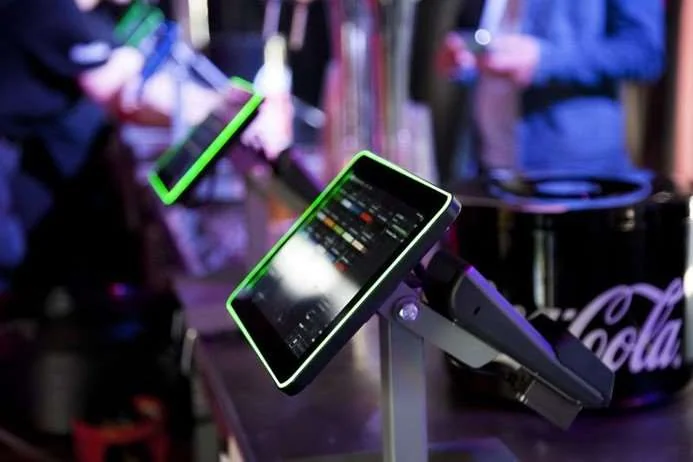
Workstation coordination
When several staff sell at once, the setup must fit the division of work. We assess coordination between tills, mobile devices and printers within the chosen solution.
Use the demo to discuss changes, busy sales periods and shift closing. Assess the system with examples from your own business.
Equipment & integrations
An addition should simplify a specific task. We map your devices and applications and check connections before proposing a combination.
Review how to enter orders at tables or elsewhere and send them to the right bar station. Features depend on your software and devices.
A suitable payment integration passes amounts from POS to terminal. Provider, model and software version must be compatible.
Connecting your draught system may help record drinks dispensed. We assess options for your dispensing system and POS software.
Drinks, meals & tax setup
A bar with a limited drinks list differs from one serving meals. Discuss your full range to align ordering, preparation and tax setup.
If you serve food, we review how orders and notes reach preparation. Suitable printers or displays may help.
GKS obligations depend on activities and relevant turnover. The restaurant and catering threshold is generally more than €25,000 excluding VAT and drinks. Have your accountant assess your situation.
Source: FPS Finance — who must use GKS?. Checked on 8 November 2026. Also read about GKS 2.0.
Personal advice
KassaKompas helps assess suitable hardware, software and guidance. Start with your team’s required features, then consider available additions.
We discuss your drinks menu, bar stations, team, busy times and equipment, including service away from the counter.
Ask for a demo using real orders: ease of use, staff identification, payments and coordination between stations.
Agree product setup, installation, staff guidance, updates and support. The proposal lists one-off and recurring costs.
Practical answers
Start with your drinks menu, busy periods, staffing and outlets. Test finding products, changing orders and processing payments. KassaKompas helps assess equipment and features.
We assess the selected software and network: shared data, workstation connections and what happens during a connection problem.
It depends on support for the reader, badge or tag and POS software. We review staff identification and permissions for sales, corrections and reports.
Draught monitoring is a possible addition, but integration varies by dispensing system and POS software. We assess which data can be exchanged and how recording fits your workflow.
We check the exact devices and software versions, then align order routing with bar stations, service and any kitchen.
It depends on the solution and network setup. Before choosing, establish which features work locally, what needs connectivity and how data is handled after an outage.
Assessment depends on activities and relevant turnover. Selling drinks does not automatically make a bar subject to GKS. If you also serve meals, consult your accountant and official guidance.
It depends on equipment, workstations, modules and integrations. Ask for clear one-off and recurring costs, including installation and support arrangements.
Tell us about your drinks menu, team and sales points. We help find a suitable setup.
0472 60 57 58